LOADING

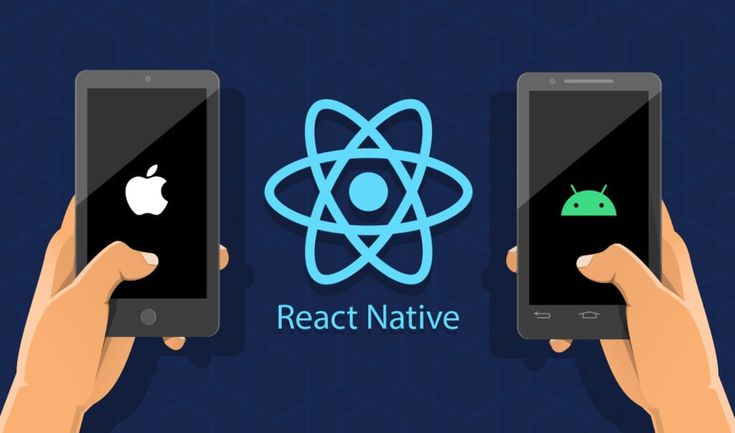
Mobile App Development Bootcamp (React Native)

Become a professional mobile app developer. Master React Native, JavaScript, APIs, and mobile UI. Build real Android & iOS apps and launch your tech career.

12 Weeks - Hands-On - Project-Driven - AI-Powered
available
Intermediate Level
Course Instructors
Eteng Eteng
Eteng Eteng
Lead Instructor
John Wilson
John Wilson
Backend Expert
Vivian Effong
Vivian Effong
Frontend Specialist
What You'll Learn
Build real-world, production-ready mobile applications
Create beautiful, responsive mobile UIs with React Native
Develop cross-platform Android & iOS apps using JavaScript
Connect mobile apps to backend APIs securely
Implement authentication, authorization, and security best practices
Work with local storage and mobile device features
Use Git and GitHub for version control and collaboration
Integrate APIs, storage, and UI into complete mobile systems
Deploy mobile apps for real users
Use AI tools to generate, debug, refactor, and optimize mobile code professionally
Work faster using modern AI-assisted development workflows
Course Description
This immersive Mobile App Development Bootcamp (React Native) is designed to take you from a beginner to a job-ready mobile app developer in just 12 weeks. You'll learn by building real Android and iOS applications using React Native and JavaScript, the same stack used by modern startups and tech companies, while following professional workflows with Git, GitHub, and modern AI-assisted development tools. The course emphasizes hands-on learning, real-world projects, and industry best practices. Students are trained to use AI responsibly for mobile UI design, code generation, debugging, performance optimization, documentation, and faster problem-solving - exactly how modern mobile teams work today. By the end of the program, you won't just understand how mobile apps work - you'll have a strong mobile portfolio, real app experience, and the confidence to apply for mobile developer roles, freelance, or build your own mobile products.
Requirements
A computer with internet connection (Windows, Mac, or Linux)
Basic understanding of how websites work (helpful but not required)
Passion to learn and build amazing web applications
Commitment of 10-15 hours per week for 12 weeks
Course Curriculum

5 comprehensive modules

01
Mobile & JavaScript Fundamentals
Weeks 1-2 - 8 Lessons
Introduction to Mobile App Development
JavaScript Refresher for Mobile Applications
Understanding React Native Architecture
Setting Up React Native Environment
Core Components (View, Text, Image, ScrollView)
Styling with Flexbox in Mobile Layouts
Introduction to Git & Version Control
Using GitHub for Mobile Project Management
02
React Native Core & UI Design
Weeks 3-5 - 12 Lessons
Component-Based Mobile Architecture
JSX, Props & State in React Native
Handling Events & User Interactions
Forms, Inputs & Mobile UX Patterns
Navigation with React Navigation
Screens, Tabs & Stack Navigation
Managing Application State
Working with Lists (FlatList, SectionList)
Responsive Mobile Design Principles
Structuring Scalable Mobile Apps
GitHub Workflow & AI-Assisted Mobile Development
Using AI Tools for UI Design & Code Generation
Debugging and Refactoring Mobile Apps with AI Assistance

03
APIs, Backend Integration & Storage
Weeks 6-8 - 10 Lessons
Understanding APIs & HTTP Requests
Fetching Data from REST APIs
Handling Authentication Tokens
Connecting Mobile Apps to Backend Services
Working with JSON Data
Error Handling & Network Requests
Local Storage (AsyncStorage, Secure Store)
Managing User Sessions
GitHub Collaboration & AI-Assisted API Integration
Designing API Logic Faster Using AI Tools
Testing and Optimizing Mobile Data Flow with AI Support
04
Advanced Mobile Features & Full App Logic
Weeks 9-11 - 10 Lessons
Mobile Device Features (Camera, Location, Permissions)
Working with Media Uploads
Push Notifications Basics
Authentication Flow (Signup, Login, Protected Screens)
Role-Based Access & App Security
Performance Optimization for Mobile Apps
Integrating Third-Party Libraries
Environment Configuration for Mobile Projects
Full App Collaboration Using GitHub
Using AI to Improve App Logic, Security & Performance
05
Deployment & Capstone Project
Week 12 - 6 Lessons
Preparing Mobile Apps for Production
App Configuration & Build Optimization
Building Android APK / AAB Files
iOS Build Concepts & Publishing Workflow
Managing Live Projects with GitHub & AI Productivity Tools
Using AI for Documentation, Testing & Code Review
Optimizing Production Mobile Apps with AI Suggestions
Best Practices for Maintaining Deployed Apps
Student Reviews
John Wilson
2 weeks ago

"The best decision I made for my career. The project-based learning approach helped me understand complex concepts easily. Highly recommended!"

Vivian Effong
1 month ago

"Excellent curriculum and amazing support from the instructors. I landed my first developer job just 2 weeks after graduating!"

Frequently Asked Questions
Do I need any prior programming experience?
No prior programming experience is required. This course is designed for complete beginners and takes you from the basics to advanced full stack development.
What happens if I miss a live session?
All live sessions are recorded and made available to you within 24 hours. You'll have lifetime access to all course materials and recordings.
Will I receive a certificate upon completion?
Yes! Upon successful completion of the course and final project, you'll receive a verified certificate of completion that you can share on LinkedIn and your resume.
Do you offer job placement assistance?
Yes! We provide career support including resume reviews, interview preparation, and connections to our network of hiring partners.
What if I'm not satisfied with the course?
We offer a 30-day money-back guarantee. If you're not satisfied with the course within the first 30 days, we'll provide a full refund, no questions asked.
₦300,000
Enroll Now